
If you have come here to complete a DEWA bill payment online, you are in the right place: this guide covers every official way to pay DEWA online — the website, the Smart App and EasyPay guest checkout — plus bank apps, kiosks and AutoPay for readers who prefer offline or automatic options.
All DEWA Bill Payment Methods in 2026
DEWA (Dubai Electricity and Water Authority) offers more than a dozen payment channels, available 24/7. Below is every official method, grouped by type, so you can pick what suits your situation. Paying your first bill after moving in? Read our DEWA new connection guide first — it covers activation, deposits and fees.
1. DEWA Smart App (Recommended)
The DEWA Smart App (iOS and Android) is the easiest all-in-one option: check your bill, pay, download receipts, and monitor daily electricity and water consumption from one dashboard.
- Accepted: credit/debit cards, Apple Pay (iOS), Samsung Pay (Samsung devices), Noqodi Net Banking, Noqodi e-Wallet, UAE Payment Gateway System (UAEPGS) direct bank debit
- Limits: cards up to AED 750,000 per transaction; Apple Pay/Samsung Pay up to AED 500,000; UAEPGS up to AED 500,000
- Fees: UAEPGS bank debit carries no DEWA fees
- Time: a full payment takes under two minutes
2. DEWA Website (dewa.gov.ae)
Same payment options as the app, ideal if you prefer a desktop. Log in with your DEWA ID or UAE Pass, open your bill, and pay.
3. DEWA EasyPay (No Login Needed)
EasyPay lets you pay your own bill — or someone else’s — using only the DEWA account number or EasyPay number. No registration required. It supports Green Bill, Green Charger, estimates, port sale, KW invoices, and general services.
- Accepted: credit/debit cards, Apple Pay, Samsung Pay, Noqodi Net Banking, Noqodi e-Wallet
- Noqodi fees: AED 5 + VAT per AED 25,000 (net banking); AED 20 + VAT above AED 75,000; e-Wallet AED 1 + VAT under AED 100, AED 3 + VAT above AED 200
4. DubaiNow App
DubaiNow bundles DEWA payments with other Dubai government services — handy if you pay multiple government bills. Supports credit cards, Apple Pay, AutoPay, and Noqodi wallet.
5. Bank Apps (22 UAE Banks)
Emirates NBD, ADCB, Dubai Islamic Bank, Mashreq, First Abu Dhabi Bank, and 17 more let you pay DEWA directly from their apps under “bill payment.” ATM payments at participating banks typically post within 2–24 hours.
6. WhatsApp
DEWA was the UAE’s first government entity with a verified WhatsApp Business account (2019). Save +971 4 601 9999, send “Hello,” and follow the automated menu to receive a payment link.
7. AutoPay (Set and Forget)
Set up automatic monthly payment via the DEWA Smart App or DubaiNow. Choose your payment date and — importantly — set a maximum payment limit so an unexpectedly high bill never auto-debits blindly. You get an SMS confirmation each month. Ideal if you travel frequently.
8. Physical Channels
- DEWA Customer Happiness Centres — Sunday to Thursday 8 AM–8 PM, Saturday 8 AM–2 PM
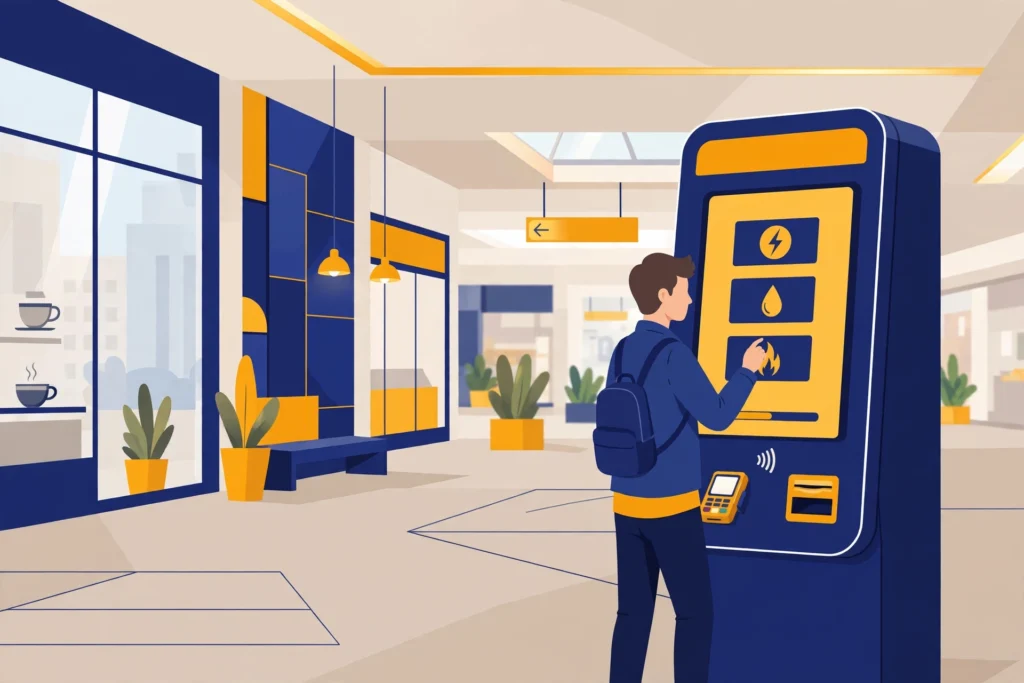
- Self-service kiosks — malls and all Dubai Metro stations; cash up to AED 10,000 and cards; 24/7
- Exchange houses — AED 2–5 service charge
- Empay app — credit cards, direct debit, bank transfer; also handles Salik, telecom, and traffic fines
Managing several properties? Tayseer groups multiple DEWA contract accounts under one payment arrangement.
Payment Methods Comparison
| Method | Login needed? | Speed | Best for |
|---|---|---|---|
| DEWA Smart App | Yes | Instant | Regular monthly payers |
| dewa.gov.ae | Yes | Instant | Desktop users |
| EasyPay | No | Instant | One-off / paying for others |
| DubaiNow | Yes | Instant | Multiple govt bills |
| Bank apps | Bank login | Instant–24 hrs | Auto-pay from bank |
| No | Instant | Quick link on phone | |
| AutoPay | Setup once | Automatic | Frequent travellers |
| Kiosks | No | Instant | Cash payments |
| Exchange houses | No | Same day | No bank account |
Step-by-Step: Pay via the DEWA Smart App
- Download the DEWA Smart App and log in with your DEWA ID or UAE Pass.
- Your current bill appears on the dashboard — tap “Pay.”
- Choose your method: card, Apple Pay, Samsung Pay, or bank debit (UAEPGS).
- Review the amount and confirm. Save the electronic receipt.
Step-by-Step: Pay via EasyPay (Without Login)
- Go to dewa.gov.ae and open EasyPay.
- Enter the DEWA account number (find it on any previous bill).
- The outstanding amount appears — choose card, Apple Pay, Samsung Pay, or Noqodi.
- Confirm and keep the receipt.
How to Pay DEWA Bill Online via the Website (Step by Step)
Prefer a browser over the app? You can pay DEWA online on dewa.gov.ae in about two minutes:
- Go to dewa.gov.ae and log in with your DEWA ID or UAE Pass.
- Open the billing section and view your latest Green Bill — the outstanding balance for your account is shown.
- Click Pay and choose your method: credit/debit card, Apple Pay, Samsung Pay, or Noqodi.
- Confirm the payment — it reflects on your account instantly, and you can download the e-receipt.
No login handy? Use EasyPay instead (steps above) — it needs only your DEWA account number.
Payment Troubleshooting
Payment failed but money was deducted
Card payments occasionally fail at the gateway while the bank still holds the amount. The hold is released automatically by your bank, usually within 3–7 working days. Keep the failed transaction reference and check your DEWA account after 24 hours — if the bill still shows unpaid, retry or contact DEWA on 04-6019999.
Payment not reflecting on my DEWA account
App/website/EasyPay payments reflect instantly. Bank app and ATM payments can take 2–24 hours. Exchange-house payments may take a day. If nothing shows after 48 hours, contact DEWA with your payment receipt and reference number.
Bill amount looks wrong after paying
Check whether the payment covered the full outstanding including VAT and housing fee. Partial payments leave a balance that accrues the ~2% late fee. See our guide on high DEWA bills and complaints.
Card declined
Verify your card is enabled for online/UAE-dirham transactions and that the amount is within your bank’s daily online limit. Transactions above AED 750,000 must be split into multiple payments.
Late Payment: Fees and Disconnection
- Bills are due within 15 days of the billing date.
- Late payment incurs approximately 2% of the outstanding amount.
- Supply can be disconnected if the bill is still unpaid 14 days after its due date — DEWA sends three reminders before disconnecting.
- Reconnection requires settling the full balance plus reconnection fees.
To never miss a due date, enable AutoPay with a maximum limit, or set a monthly phone reminder for three days after your usual billing date.
Noqodi Fees in Detail
Noqodi is DEWA’s payment gateway partner. If you pay through Noqodi channels, these tiered fees apply (plus VAT):
| Channel | Transaction size | Fee |
|---|---|---|
| Net Banking | Up to AED 25,000 | AED 5 + VAT |
| Net Banking | Above AED 75,000 | AED 20 + VAT |
| e-Wallet | Under AED 100 | AED 1 + VAT |
| e-Wallet | Above AED 200 | AED 3 + VAT |
To avoid these entirely, use UAEPGS direct bank debit (no DEWA fees) or pay by card on DEWA’s own channels.
Paying for Multiple Properties: Tayseer
Landlords and property managers with several DEWA accounts can use Tayseer, which groups multiple contract accounts under a single payment arrangement — one login, one consolidated view, one payment run. Set it up via the DEWA website under business/property services.
Understanding the Green Bill
DEWA’s electronic bill (“Green Bill”) itemises: electricity consumption (kWh × slab rates), water consumption (gallons × slab rates), housing fee (5% of annual rent ÷ 12), sewerage charges, fuel surcharge (variable), VAT (5% on consumption), and knowledge/innovation fees. Review each line before paying — a sudden jump in any single line tells you exactly where to investigate (see high bill complaints).
Commercial Bill Payments
Business accounts follow the same channels, with higher per-transaction limits mattering more: card payments up to AED 750,000 per transaction work for most SMEs; larger balances are split across multiple transactions. Commercial security deposits are calculated by DEWA from the premises’ consumption (there is no fixed amount), and are separate from monthly billing.
Frequently Asked Questions
What is the easiest way to pay my DEWA bill?
The DEWA Smart App — log in with DEWA ID or UAE Pass and pay by card, Apple Pay, Samsung Pay, or bank debit in under two minutes.
Can I pay my DEWA bill without an account?
Yes — DEWA EasyPay needs only the account number, no login. WhatsApp (+971 4 601 9999) also works without an account.
Can I pay someone else’s DEWA bill?
Yes, via EasyPay with their account number, or at kiosks and exchange houses.
Can I pay my DEWA bill at an ATM?
Yes — most ATMs of DEWA’s 22 partner banks (Emirates NBD, Mashreq, DIB, FAB, and others) support it; payment posts within 2–24 hours.
How do I set up AutoPay?
Via the DEWA Smart App or DubaiNow: authorize the debit, pick a payment date, and set a maximum payment limit as a safety net.
Is there a fee for paying by credit card?
DEWA itself adds no surcharge for card payments on its own channels; your bank’s standard terms apply. Noqodi net banking/e-wallet has small tiered fees (see EasyPay section).
Can I pay my DEWA bill in installments?
DEWA does not split a bill into instalments itself, but you can pay by credit card and convert the payment into instalments through your bank — Emirates NBD cardholders can spread bills of AED 500 or more over up to 12 months with no interest or extra charge, and Mashreq offers a similar option. For large arrears, contact DEWA customer care on 04-601 9999 to discuss your options.
What is the maximum I can pay in one transaction?
AED 750,000 by card; AED 500,000 via Apple Pay/Samsung Pay or UAEPGS. Larger balances need multiple transactions.
How do I get a receipt?
Every digital payment generates an electronic receipt — save it. The app also keeps full payment history under your account.
My payment failed — will I be charged twice if I retry?
No — a failed attempt doesn’t debit your DEWA account. If your bank shows a hold, it auto-releases in 3–7 working days; then retry safely.
How can I pay my DEWA bill online?
Three ways: log in at dewa.gov.ae and pay from your account, use the DEWA Smart App, or use EasyPay on the website if you do not want to log in. All three accept cards, and the website and app also accept Apple Pay, Samsung Pay and Noqodi. Online payments reflect on your account instantly.
Can I pay DEWA online without logging in?
Yes — open EasyPay on dewa.gov.ae and enter the DEWA account number (printed on any previous bill). The outstanding amount appears and you can pay by card, Apple Pay, Samsung Pay or Noqodi, with no account or login needed.
How long does a DEWA bill payment online take to reflect?
Website, app and EasyPay payments reflect instantly. Bank-app and ATM payments can take 2–24 hours to show on your DEWA account.
DEWA Bill Check is an independent guide and is not affiliated with or endorsed by DEWA or the Dubai government. For official services visit dewa.gov.ae. Last verified: 2026-10-22.
Related: DEWA Bill Check & Payment mega-guide · DEWA new connection · DEWA deposit refund · DEWA high bill complaint · SEWA bill check