
If you live in Ajman, Umm Al Quwain, Ras Al Khaimah or Fujairah, your electricity and water come from Etihad Water and Electricity (EtihadWE), formerly FEWA. You can pay your monthly bill online in about three minutes without logging in, through the EtihadWE app, through your bank, or in person. This guide covers every official method, fastest first. To check what you owe, see our FEWA bill check guide.
Pay Online with Quick Pay (No Login Needed)
The fastest way to pay is the “View and Pay Bill” service on the EtihadWE website — the no-login flow most guides call FEWA Quick Pay. The official page states: “Customers can easily pay their bills without logging into their account through the ‘View and Pay Bill’ option.”
- Open the EtihadWE website at etihadwe.ae.
- From the main menu, go to the “Services” tab and select “View and Pay.”
- Enter your account number — the number printed on your bill. Double-check it: the payment goes to the account you enter.
- Choose your preferred payment option.
- Agree to the Terms and Conditions.
- Proceed to payment and enter your card details to complete the transaction.
| What you need | Details |
|---|---|
| Open the EtihadWE website | at etihadwe.ae. |
| From the main menu, go to the “Services” tab and select “View and Pay.” | From the main menu, go to the “Services” tab and select “View and Pay.” |
| Enter your account number | the number printed on your bill. Double-check it: the payment goes to the account you enter. |
| Choose your preferred payment option | Choose your preferred payment option. |
| Agree to the Terms and Conditions | Agree to the Terms and Conditions. |
| Proceed to payment and enter your card details to complete the transaction | Proceed to payment and enter your card details to complete the transaction. |
The process takes about three minutes, 24 hours a day. Keep the confirmation or receipt — it is your proof of payment until the amount shows as paid. You need your FEWA account number, a valid email address and a GCC-issued credit card. Full walkthrough: FEWA Bill View and Pay / Quick Pay guide.
Pay Through the E-Services Portal (UAE PASS)
For bill history, saved cards or several accounts, use the e-services portal: open the EtihadWE website, click “Login”, select “Customer”, log in using UAE PASS, pick the account, click “Pay Now”, then use a saved card or enter a new one. Logging in pays off if you pay monthly — accounts stay saved and past bills are in one place. No UAE PASS yet? Set it up first: it is also the login for the DEWA and DubaiNow apps.
Pay in the EtihadWE Mobile App
The EtihadWE app is on Google Play and the Apple App Store. The official steps are: open the app; log in using UAE PASS, or proceed through the available payment option; select the account; choose your payment option; complete the payment. Like the website it works 24 hours a day, takes about three minutes, and keeps your accounts saved after the first login.
Pay Through Your Bank (Net Banking)
Banks are an official channel with the same terms: 24 hours a day, about three minutes to submit. Pay through your own bank’s online or mobile banking bill-payment service, using your FEWA account number as the reference. If the bill is due today, use the website or app instead — official channels confirm immediately, while bank processing can differ.
Pay Offline: Kiosks, Exchange Centres and Service Centres
Payment machines (kiosks)
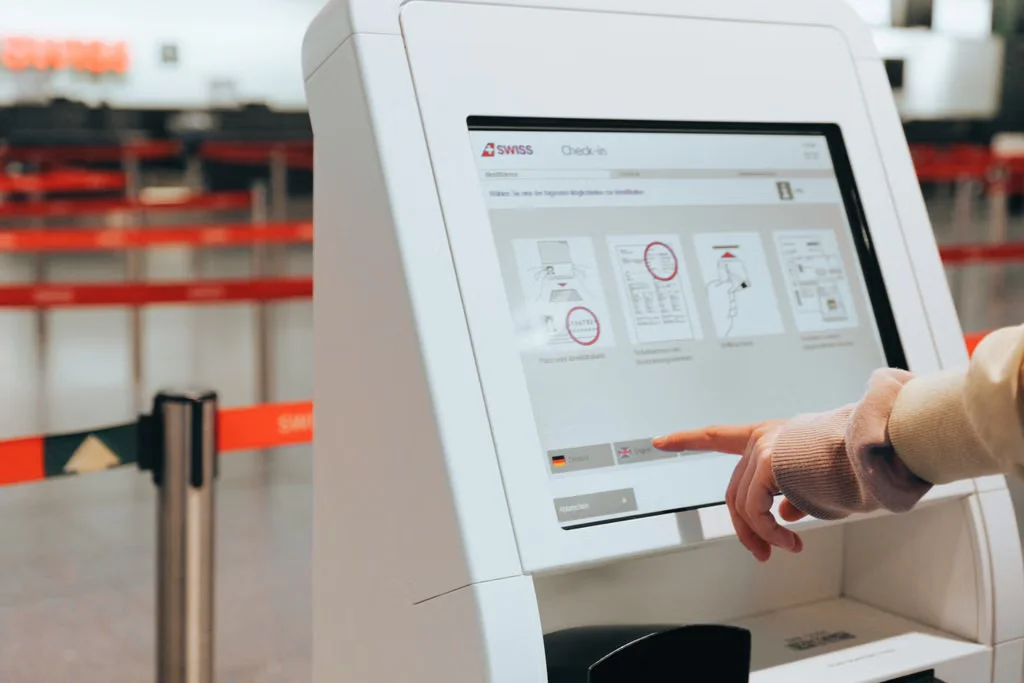
Self-service kiosks run around the clock and take about three minutes. Find them in Lulu Hypermarkets, EPPCO and ADNOC petrol stations and major malls (full list on the EtihadWE website). Choose the FEWA bill payment option, enter your account number, and pay by card or cash.
Al Ansari Exchange
Pay at Al Ansari Exchange branches — open Saturday to Thursday, about 10 minutes. Al Ansari is the only exchange house named in the official EtihadWE channel list; Al Fardan Exchange is also listed by several third-party guides.

EtihadWE service centres
Visit a customer happiness centre during official working hours — about 10 minutes per transaction — in Ajman, Umm Al Quwain, Al Dhaid, Fujairah, Dibba Al Fujairah or Ras Al Khaimah. Go here if your case needs a person: a disputed bill, a payment that did not reflect, or a new connection. Emirates Post is listed by several third-party guides as another in-person option, but it does not appear in the channel list on the official EtihadWE Bill Payment page — confirm at your nearest post office before relying on it.
Limits, Fees and Timings to Know
Maximum payment via credit card: AED 10,000
If your bill is higher, split it across days or use another channel. Some third-party guides quote higher limits — the official page states AED 10,000.

A fee of 0.0068 applies to amounts above AED 10,000
That is the figure exactly as the official page states it, with no unit or percentage sign — check the final amount on screen before confirming.
Only GCC-issued credit cards are accepted
for online card payments, and a credit card can be used at most 5 times per day.

Expected time for the service: 1 working day
The payment is confirmed on screen in about three minutes, but allow a working day for it to be fully reflected.
Service code: 357-04-002-000
useful if you ever need to reference the payment service with EtihadWE.
If Something Goes Wrong
Wrong account number
Check before you confirm: payments go to the account number you typed, and recovering a wrong payment is slow.
Payment made but the bill still shows unpaid
Allow one working day, the official expected time. If it still shows as unpaid, contact EtihadWE with the receipt and account number.
Card declined
Usual causes: the card is not GCC-issued, the amount is over AED 10,000, or you have used the card five times that day. Try another GCC card, a kiosk or an exchange centre.
The bill amount looks wrong
Do not pay it. Check the bill’s itemised lines first — see our FEWA bill check guide — then raise it with EtihadWE.
| Method | How it works |
|---|---|
| Payment machines (kiosks) | Self-service kiosks run around the clock and take about three minutes… |
| Al Ansari Exchange | Pay at Al Ansari Exchange branches — open Saturday to Thursday, about 10 minutes… |
| EtihadWE service centres | Visit a customer happiness centre during official working hours — about 10 minutes per transaction — in Ajman, Umm Al Quwain, Al Dhaid, Fujairah, Dibba Al Fujairah or… |